1

Open the blprnt desktop app

Click on the ‘Create New Project’ button in the sidebar.
New Project Sidebar
2

Enter the project name

Enter the project name and click on the ‘Next’ button.
Project Details
3

Add the project folder

Add the project folder.
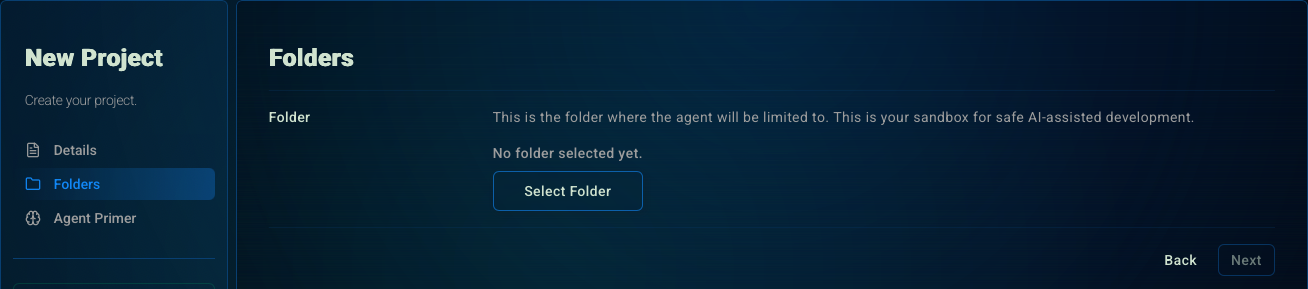
New Project Folder
The project folder is the sandbox the agent can safely read from and write to.
4

Agent Primer (Optional)

Add an Agent Primer to set default context for every new session.
Agent Primer
1

Listing projects

Click on the ‘Edit’ button in the sidebar next to the project you want to edit.
Projects Sidebar
2

Edit your project

Edit the project name, folder, or agent primer.

Info Settings are saved automatically.
Project Details
Changing the project folder can have unexpected side effects for previous sessions. Please be careful.

Deleting your project

You can also delete the project by clicking on the ‘Delete’ button.
This will delete all the project’s sessions and memories.
Delete Project